
The short answer
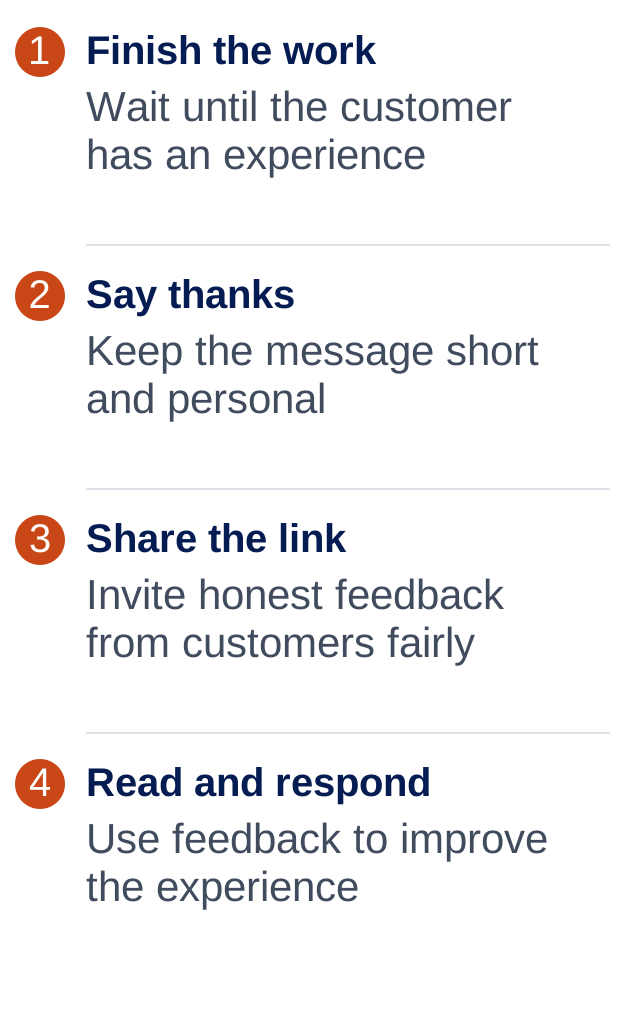
Ask after the customer has experienced your work. Keep the message short, include your direct Google review link and invite honest feedback—not five stars. A consistent, friendly process is better than asking only when you happen to remember.
Ask when the job is fresh in their mind
You don’t need a big speech. Once the work is finished, a simple thank-you and review request can feel like a normal part of wrapping up.
Choose a point that fits your business: after an appointment, after delivery or once a job is completed. Don’t trigger a request just because an invoice exists if the customer hasn’t received the service yet.
Make it part of your routine so you ask customers fairly, not just the ones you expect to give a glowing review.
What should the message say?
Use your normal voice. Say who you are, thank them and make the link easy to find. There’s no need to tell them which words to write.
Here’s an example you can adapt. Replace the brackets before sending it and check the link opens your business’s review page.
A review request that feels natural
Keep it fair and pressure-free
Google doesn’t allow rewards for reviews or selectively asking for positive reviews. Don’t offer a discount for five stars or use a private rating question to decide who gets the Google link.
- Ask about a genuine customer experience.
- Leave people free to choose whether to review.
- Don’t write the review for them.
- Don’t send happy customers to Google while hiding the link from unhappy customers.
- Handle complaints because they matter, not as a condition of changing a review.
Can software do the asking for you?
Yes. Software can send an agreed message when a job is marked complete. That saves remembering every request, but the setup still needs checking.
Test the correct name, business link and timing. Make sure repeat customers don’t get the same request over and over, and that you can stop messages when asked. Confirm the communication requirements for the channel you use before switching it on.
You don’t need automation on day one. If you only finish a few jobs a week, a simple checklist may do. When the volume grows, automate the repeatable part and keep a person involved in reading and replying to feedback.
Common questions
Can I ask for a five-star review?
Ask for an honest review instead. Don’t pressure customers to give a particular rating or make a reward depend on what they write.
Can I offer a discount for leaving a review?
No. Google prohibits incentives such as discounts, payments or free goods in exchange for reviews.
Where do I get my Google review link?
Open your Google Business Profile and look for the option to ask for reviews or share a review link. Copy that link and test it before sending it to customers.
Should I send reminders?
Keep any follow-up light and respect requests to stop. Repeated reminders can feel pushy. For a small business, one well-timed request may be enough.
ONE THING TO TRY
Start here.
Use the free review-request builder below to prepare one message, then send yourself a test before using it with customers.
If you’d like to read more
Official guidance behind this guide. The examples and practical suggestions are ours.