
The short answer
Fix your existing website when the main structure works and the problems are limited. Consider a rebuild when it’s difficult to use, unreliable or expensive to change. Start with what customers can and can’t do—not whether you’re bored with the colours.
Try it like a customer would
Open your website on your phone. Pretend you’ve never heard of the business. Can you work out what it does, where it works and how to get a quote?
Now try the phone link and contact form. Ask someone outside the business to do the same. Watch where they get stuck rather than explaining the website to them.
- Can you read the text without zooming?
- Is the main service easy to find?
- Do photos and information still reflect the business?
- Does an enquiry actually arrive when someone submits it?
A tidy-up may be all you need
If the site works well underneath, you may only need clearer wording, better photos, a simpler menu and more obvious contact details.
For example, an otherwise useful service page might never mention the suburbs you cover. Adding that information is a smaller job than replacing the whole website.
Ask for a list of the problems, the cost to fix them and any limits of the current setup. “It looks old” isn’t enough on its own to justify starting again.
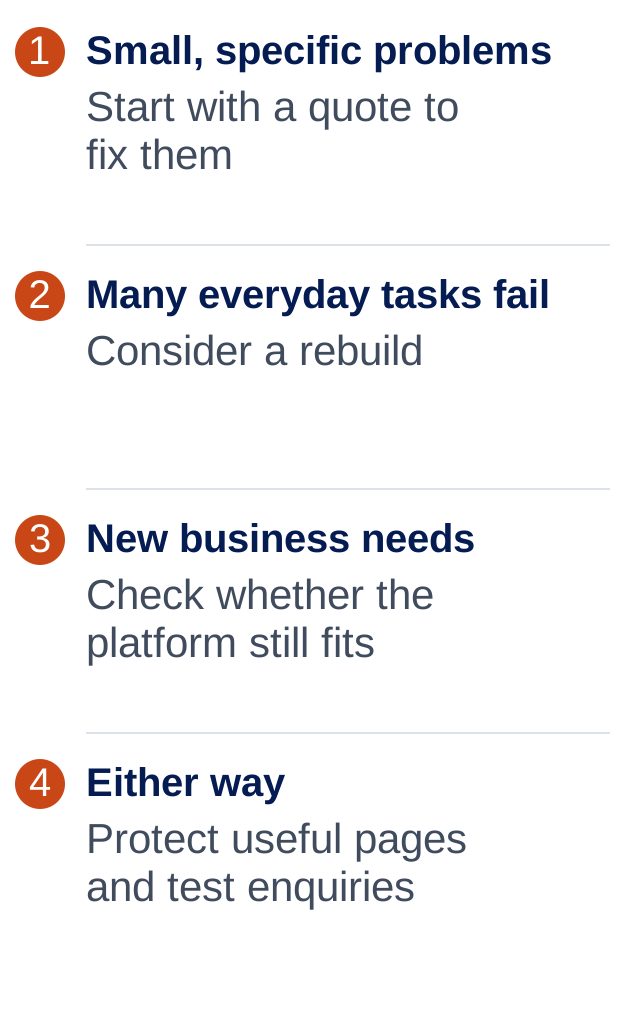
Repair or rebuild? Compare the problems.
When does starting again make sense?
A rebuild may be the better choice if simple edits keep turning into big jobs, the site breaks regularly or the mobile layout needs work on almost every page.
A major change in your business can also justify it. Perhaps you now sell different services, or customers need to book online rather than ring for everything.
Compare what’s included, not just the final price
Ask who writes the words, supplies the images and moves the useful old content. Check how many pages are included and what happens if you need extra changes.
Find out what happens to your old page addresses, who tests forms and bookings, and who helps after launch. Hosting, ongoing support and software fees may sit outside the build price.
Also ask whether you can take the website with you if you leave. Some hosted platforms require a fresh build elsewhere. That may be fine, but it should be clear before you commit.
Common questions
Does an old website automatically need replacing?
No. Age alone is not the problem. A website that is clear, dependable and easy to use may only need small improvements.
Are template websites bad?
No. A good template can be a sensible starting point for a small business. The important part is adapting the content, images and layout to your customers rather than leaving generic filler.
Will a rebuild get me more enquiries?
It can help if the current site is getting in the way, but it isn’t a guarantee. People still need to find the site, want the service and be able to contact you.
What should I collect before asking for a quote?
Your website address, a list of services and pages, examples of what isn’t working, and any booking or payment requirements. Add real photos and useful customer questions if you have them.
ONE THING TO TRY
Start here.
Ask a friend to find your main service and send a test enquiry on their phone. Write down the three biggest sticking points.
If you’d like to read more
Official guidance behind this guide. The examples and practical suggestions are ours.