
The short answer
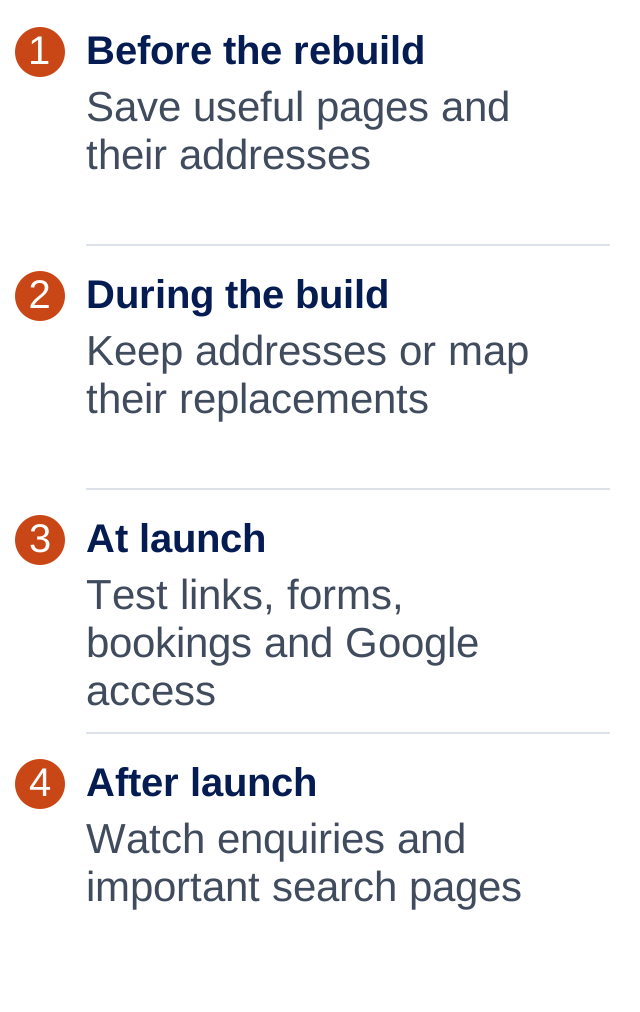
Keep useful pages and their web addresses where possible. If an address must change, send visitors from the old one to the closest matching new page using a permanent redirect. Back up the old site, test enquiries and check Google can read the new site. No rebuild is completely risk-free.
Find out what’s already working
Before anyone starts deleting pages, ask which ones bring visitors and enquiries. Google Search Console can show the pages people find through Google. Your enquiry records can help show which visits turn into work.
Keep a list of your existing page addresses. Save the words, images and a backup of the website too. Even a dated-looking site may have a service page that does a good job.
Don’t leave old page addresses stranded
A page address is the bit after your domain, such as /hot-water-repairs/. Keeping it the same makes the change simpler for customers and search engines.
If it changes, ask your web person to set up a permanent redirect, often called a 301. It acts like a forwarding address. Someone clicking the old link should reach the right new page, not an error message.
Keep the route to your business open
Check the things that bring in work
A good-looking homepage isn’t the whole launch checklist. Open the new website on a phone and test the full customer journey.
- Call the business using the phone button.
- Send a test form and confirm it reaches the right inbox.
- Make a test booking if bookings are part of the site.
- Check important old links reach the correct new pages.
- Check analytics is recording visits.
- Ask your web person to remove any “keep out of Google” settings used during the build.
Keep an eye on it after launch
Agree who will check the website after it goes live and how you’ll contact them if something is wrong. Keep the old backup and a note of the launch date.
Watch your main pages in Search Console, but also watch the actual phone, inbox and bookings. If enquiries stop arriving, investigate immediately rather than assuming it’s just a quiet week.
Some search movement can happen after a change. If there’s a drop, check for broken links, missing useful content or blocked pages before rewriting everything again. Ask for a defined post-launch support period as part of the quote.
Common questions
Can a website rebuild affect my Google rankings?
Yes. Changes to page addresses, content and the way the site works can affect search performance. Careful planning reduces avoidable problems but cannot guarantee unchanged rankings.
What is a 301 redirect in plain English?
It is a permanent forwarding instruction from an old web address to a new one. It helps visitors and search engines reach the replacement page.
Can I delete pages that look out of date?
Check them first. A dated page may still bring useful visitors. Updating it or replacing it with a relevant page can be better than deleting it without a plan.
Do I need to change my domain for a rebuild?
Usually not. A new design can normally use your existing domain. If you also want a new domain, treat that as an extra migration task with its own checks.
ONE THING TO TRY
Start here.
Before approving the rebuild, ask for the old-page list, the redirect plan and the checklist your designer will run after launch.
If you’d like to read more
Official guidance behind this guide. The examples and practical suggestions are ours.