
The short answer
Hosting is the space where your website runs. A WordPress care plan is the work someone does to look after it, such as updates, backups and agreed support. They can be sold together, but don’t assume a hosting fee includes every website fix or change.
Think of hosting as the premises
Your website needs somewhere to live. That’s hosting. It provides the computers and systems that deliver the site when someone visits.
But renting the premises isn’t the same as having someone maintain everything inside. The hosting can be working while your contact form is broken. Ask who handles that sort of problem.
A care plan is the looking-after part
WordPress sites use software, themes and plugins—the add-ons that handle things such as forms or bookings. These need attention over time.
A useful care plan spells out the work rather than simply promising “peace of mind”. Ask whether it includes:
- WordPress, theme and plugin updates.
- Backups of both the files and the database.
- Help restoring the site if something goes wrong.
- Checks of important features after changes.
- Small content edits and a clear way to request help.
- Paid plugin renewals, or a list of those you pay for separately.
Three different jobs to ask about
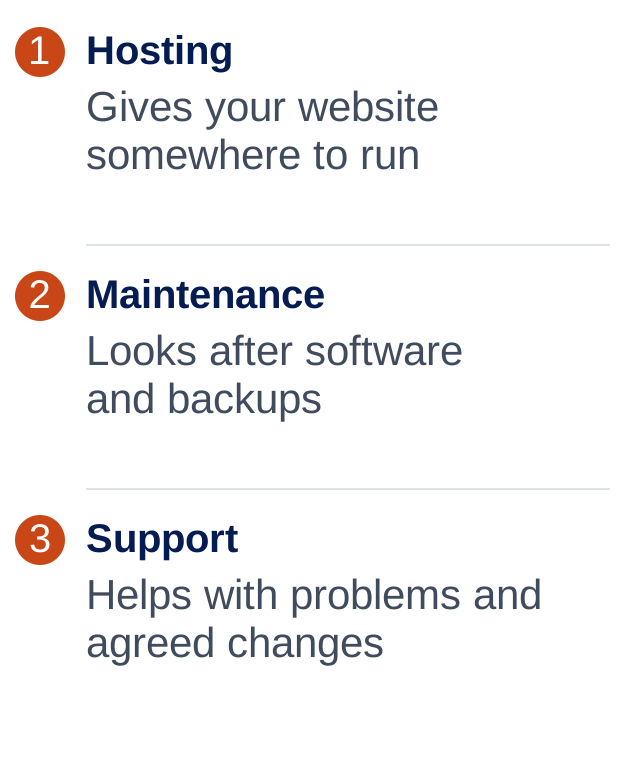
Ask what “backups” and “small edits” actually mean
A backup is only useful if it can be restored. Ask how often backups happen, how long they’re kept, where they’re stored and whether restoring one costs extra. A busy online shop may need a different arrangement from a site that rarely changes.
For edits, ask for examples. Swapping a supplied photo or changing your hours is different from designing a new page. Find out how much time is included, the normal turnaround and whether unused time carries over.
Compare the support, not just the monthly number
A cheaper plan can be perfectly suitable if you know what it covers. The problem is assuming somebody is doing work that nobody has agreed to do.
Ask what happens when the site breaks, how urgent requests are handled and what you’ll be charged outside the plan. “Support included” does not necessarily mean someone is available at midnight.
Keep control of your domain and know who holds your website access. Before signing up, ask how you get a copy of the site and move elsewhere if you ever need to.
Common questions
Is WordPress hosting the same as maintenance?
No. Hosting provides the place the website runs. Maintenance looks after the website software. Some providers bundle them, so check the actual inclusions.
Does a care plan guarantee my site won’t be hacked?
No. Sensible updates, access controls and backups can reduce risk and help recovery, but no provider can honestly promise zero risk.
Can I update WordPress myself?
Yes, but you need a backup, a way to recover if something breaks and time to check important features. A care plan is an option if you don’t want that responsibility.
Should unlimited edits be included?
Not necessarily. A realistic editing allowance with clear examples and turnaround times is easier to understand than an unlimited promise with unclear limits.
ONE THING TO TRY
Start here.
Write down who currently handles hosting, updates, backups, form problems and content changes. Any blank is a useful question for your provider.
If you’d like to read more
Official guidance behind this guide. The examples and practical suggestions are ours.